



DevOps & CI/CD untuk Python - Panduan Lengkap Otomatisasi Pipeline




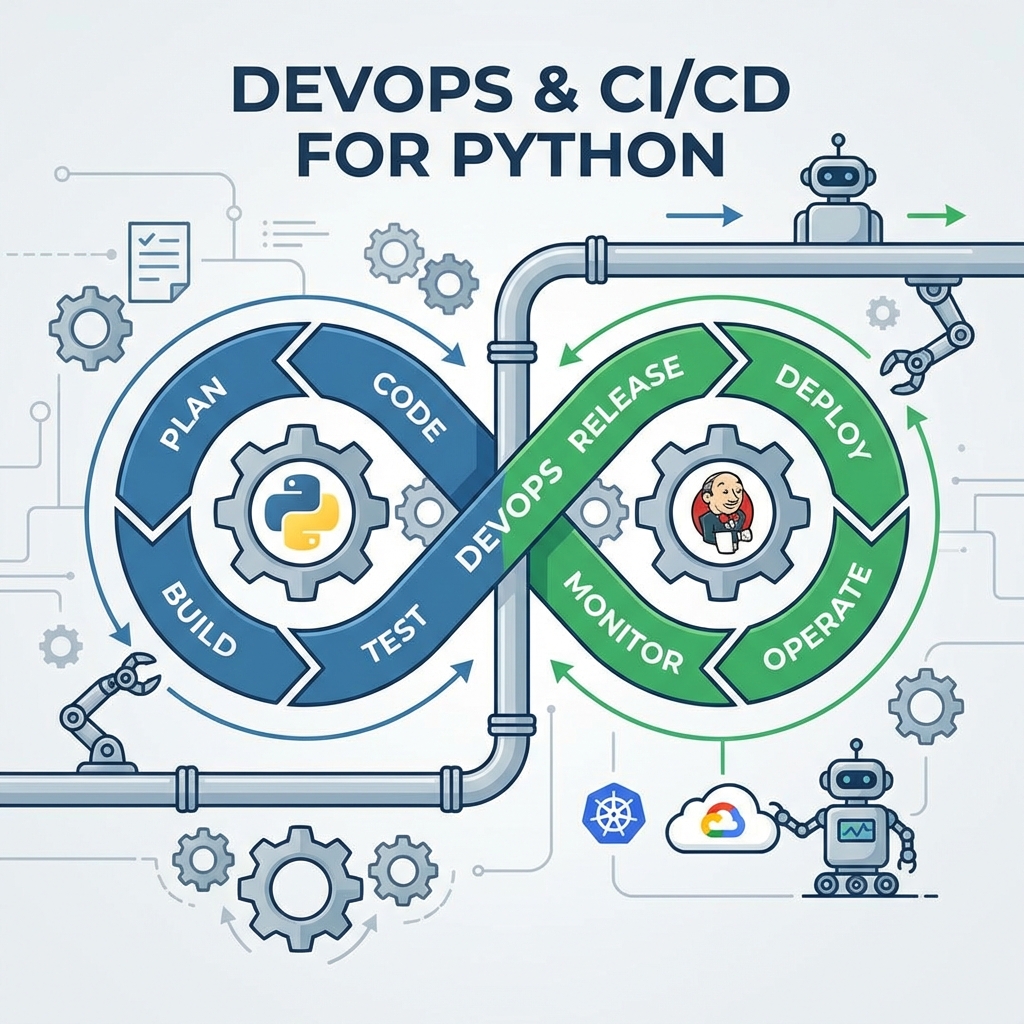
DevOps adalah budaya dan praktik yang menggabungkan tim Development (Dev) dan Operations (Ops) untuk mempercepat siklus pengembangan software dengan tetap menjaga kualitas dan stabilitas. Jantung dari DevOps modern adalah CI/CD (Continuous Integration / Continuous Deployment) - sebuah pipeline otomatis yang mengubah cara kita membangun, menguji, dan mengirimkan aplikasi Python.
Mengapa DevOps Penting untuk Developer Python?
Dalam dunia pengembangan software modern, DevOps bukan lagi "nice to have" tetapi sudah menjadi keharusan. Berikut alasannya:
| Aspek | Tanpa DevOps | Dengan DevOps |
|---|---|---|
| Deployment | Manual via FTP/SSH (berisiko human error) | Otomatis via pipeline (konsisten) |
| Testing | "Works on my machine" | Tested di environment yang sama dengan production |
| Feedback Loop | Berhari-hari atau berminggu-minggu | Dalam hitungan menit |
| Rollback | Panik dan manual | Satu klik atau otomatis |
| Kolaborasi | Silo antar tim | Shared responsibility |
Memahami CI/CD Pipeline
Apa itu Continuous Integration (CI)?
Continuous Integration adalah praktik dimana developer secara rutin menggabungkan (merge) kode mereka ke repository utama, dan setiap perubahan divalidasi melalui build dan test otomatis.
Workflow CI:
Developer Push Code → Trigger Pipeline → Install Dependencies → Run Linters → Run Tests → Report Status
Manfaat CI:
- 🐛 Deteksi Bug Dini: Bug ditemukan saat masih segar di ingatan developer
- 🔀 Merge Conflict Minimal: Integrasi rutin mencegah "merge hell"
- ✅ Kode Selalu Siap: Branch utama selalu dalam kondisi deployable
Apa itu Continuous Deployment/Delivery (CD)?
Continuous Delivery memastikan kode selalu siap untuk di-deploy (butuh approval manual), sedangkan Continuous Deployment melakukan deploy otomatis ke production setelah semua test lulus.
Workflow CD:
CI Passed → Build Artifact → Security Scan → Deploy to Staging → Integration Tests → Deploy to Production
Tools CI/CD Populer untuk Python
1. GitHub Actions (Rekomendasi untuk Pemula)
Kelebihan:
- ✅ Gratis untuk public repository (2000 menit/bulan untuk private)
- ✅ Terintegrasi langsung dengan GitHub
- ✅ Marketplace dengan ribuan actions siap pakai
- ✅ Matrix testing untuk multiple Python versions
2. GitLab CI/CD
Kelebihan:
- ✅ Fitur lengkap untuk enterprise
- ✅ Built-in container registry
- ✅ Auto DevOps untuk setup cepat
- ✅ Self-hosted option
3. Jenkins
Kelebihan:
- ✅ Open source dan sangat fleksibel
- ✅ Plugin ecosystem yang luas
- ✅ Full control (self-hosted)
- ✅ Cocok untuk enterprise dengan kebutuhan custom
4. CircleCI
Kelebihan:
- ✅ Performa cepat dengan caching agresif
- ✅ Docker-first approach
- ✅ Orbs untuk reusable configuration
5. Azure Pipelines
Kelebihan:
- ✅ Integrasi sempurna dengan Azure services
- ✅ 10 parallel jobs gratis untuk open source
- ✅ Support untuk berbagai platform (Linux, Windows, macOS)
Praktik: Membuat CI/CD Pipeline dengan GitHub Actions
Struktur Project Python yang Baik
Sebelum membuat pipeline, pastikan struktur project Anda sudah rapi:
my-python-app/
├── .github/
│   └── workflows/
│       └── ci-cd.yml          # Pipeline configuration
├── src/
│   └── my_app/
│       ├── __init__.py
│       └── main.py
├── tests/
│   ├── __init__.py
│   ├── test_main.py
│   └── conftest.py            # Pytest fixtures
├── .flake8                    # Linter config
├── pyproject.toml             # Project & tools config
├── requirements.txt           # Production dependencies
├── requirements-dev.txt       # Development dependencies
└── README.md
File requirements-dev.txt
# Testing
pytest>=7.4.0
pytest-cov>=4.1.0
pytest-asyncio>=0.21.0

# Linting & Formatting
flake8>=6.1.0
black>=23.9.0
isort>=5.12.0
mypy>=1.5.0

# Security
bandit>=1.7.5
safety>=2.3.0
Contoh 1: Pipeline CI Dasar
Buat file .github/workflows/ci.yml:
name: Python CI

on:
  push:
    branches: [ "main", "develop" ]
  pull_request:
    branches: [ "main" ]

jobs:
  test:
    runs-on: ubuntu-latest

    strategy:
      matrix:
        python-version: ["3.9", "3.10", "3.11", "3.12"]

    steps:
    - name: Checkout repository
      uses: actions/checkout@v4

    - name: Set up Python ${{ matrix.python-version }}
      uses: actions/setup-python@v5
      with:
        python-version: ${{ matrix.python-version }}

    - name: Cache pip dependencies
      uses: actions/cache@v4
      with:
        path: ~/.cache/pip
        key: ${{ runner.os }}-pip-${{ hashFiles('**/requirements*.txt') }}
        restore-keys: |
          ${{ runner.os }}-pip-

    - name: Install dependencies
      run: |
        python -m pip install --upgrade pip
        pip install -r requirements.txt
        pip install -r requirements-dev.txt

    - name: Run tests with coverage
      run: |
        pytest tests/ -v --cov=src --cov-report=xml --cov-report=term-missing

    - name: Upload coverage to Codecov
      uses: codecov/codecov-action@v4
      with:
        file: ./coverage.xml
        fail_ci_if_error: false
Penjelasan:
- Matrix Strategy: Test dijalankan di 4 versi Python secara paralel
- Caching: Dependencies di-cache untuk mempercepat build berikutnya
- Coverage Report: Menghasilkan laporan test coverage
Contoh 2: Pipeline CI Lengkap (Testing + Linting + Security)
name: Python CI Complete

on:
  push:
    branches: [ "main", "develop" ]
  pull_request:
    branches: [ "main" ]

env:
  PYTHON_VERSION: "3.11"

jobs:
  # Job 1: Linting & Formatting Check
  lint:
    name: Code Quality Check
    runs-on: ubuntu-latest

    steps:
    - uses: actions/checkout@v4

    - name: Set up Python
      uses: actions/setup-python@v5
      with:
        python-version: ${{ env.PYTHON_VERSION }}

    - name: Install linting tools
      run: |
        pip install flake8 black isort mypy

    - name: Check code formatting with Black
      run: black --check --diff src/ tests/

    - name: Check import sorting with isort
      run: isort --check-only --diff src/ tests/

    - name: Lint with Flake8
      run: flake8 src/ tests/ --max-line-length=88 --extend-ignore=E203

    - name: Type check with MyPy
      run: mypy src/ --ignore-missing-imports

  # Job 2: Security Scanning
  security:
    name: Security Scan
    runs-on: ubuntu-latest

    steps:
    - uses: actions/checkout@v4

    - name: Set up Python
      uses: actions/setup-python@v5
      with:
        python-version: ${{ env.PYTHON_VERSION }}

    - name: Install security tools
      run: pip install bandit safety

    - name: Run Bandit security linter
      run: bandit -r src/ -ll -ii

    - name: Check dependencies for vulnerabilities
      run: |
        pip install -r requirements.txt
        safety check --full-report

  # Job 3: Unit Tests
  test:
    name: Unit Tests
    runs-on: ubuntu-latest
    needs: [lint]  # Hanya jalan jika lint passed

    strategy:
      fail-fast: false
      matrix:
        python-version: ["3.9", "3.10", "3.11", "3.12"]
        os: [ubuntu-latest, windows-latest, macos-latest]
        exclude:
          - os: macos-latest
            python-version: "3.9"

    steps:
    - uses: actions/checkout@v4

    - name: Set up Python ${{ matrix.python-version }}
      uses: actions/setup-python@v5
      with:
        python-version: ${{ matrix.python-version }}

    - name: Cache dependencies
      uses: actions/cache@v4
      with:
        path: ~/.cache/pip
        key: ${{ runner.os }}-${{ matrix.python-version }}-pip-${{ hashFiles('**/requirements*.txt') }}

    - name: Install dependencies
      run: |
        python -m pip install --upgrade pip
        pip install -r requirements.txt
        pip install -r requirements-dev.txt

    - name: Run tests
      run: pytest tests/ -v --cov=src --cov-report=xml --cov-fail-under=80

    - name: Upload coverage
      if: matrix.python-version == '3.11' && matrix.os == 'ubuntu-latest'
      uses: codecov/codecov-action@v4
      with:
        file: ./coverage.xml

  # Job 4: Build Check
  build:
    name: Build Package
    runs-on: ubuntu-latest
    needs: [test, security]

    steps:
    - uses: actions/checkout@v4

    - name: Set up Python
      uses: actions/setup-python@v5
      with:
        python-version: ${{ env.PYTHON_VERSION }}

    - name: Install build tools
      run: pip install build twine

    - name: Build package
      run: python -m build

    - name: Check package
      run: twine check dist/*

    - name: Upload artifact
      uses: actions/upload-artifact@v4
      with:
        name: python-package
        path: dist/
Visualisasi Pipeline:
┌─────────────┐     ┌──────────────┐
│    Lint     │     │   Security   │
│  (parallel) │     │  (parallel)  │
└──────┬──────┘     └──────┬───────┘
       │                   │
       └─────────┬─────────┘
                 │
         ┌───────▼───────┐
         │     Test      │
         │ (matrix: 4x3) │
         └───────┬───────┘
                 │
         ┌───────▼───────┐
         │     Build     │
         │   (package)   │
         └───────────────┘
Continuous Deployment (CD) ke Production
Contoh 3: Deploy ke VPS dengan SSH
name: Deploy to VPS

on:
  push:
    branches: [ "main" ]

jobs:
  deploy:
    runs-on: ubuntu-latest
    if: github.event_name == 'push'

    steps:
    - uses: actions/checkout@v4

    - name: Deploy to VPS
      uses: appleboy/[email protected]
      with:
        host: ${{ secrets.VPS_HOST }}
        username: ${{ secrets.VPS_USERNAME }}
        key: ${{ secrets.VPS_SSH_KEY }}
        script: |
          cd /var/www/my-python-app
          git pull origin main
          source venv/bin/activate
          pip install -r requirements.txt
          sudo systemctl restart my-app
Contoh 4: Build dan Push Docker Image
name: Build and Push Docker

on:
  push:
    branches: [ "main" ]
    tags: [ "v*" ]

jobs:
  docker:
    runs-on: ubuntu-latest

    steps:
    - uses: actions/checkout@v4

    - name: Set up Docker Buildx
      uses: docker/setup-buildx-action@v3

    - name: Login to Docker Hub
      uses: docker/login-action@v3
      with:
        username: ${{ secrets.DOCKERHUB_USERNAME }}
        password: ${{ secrets.DOCKERHUB_TOKEN }}

    - name: Extract metadata
      id: meta
      uses: docker/metadata-action@v5
      with:
        images: username/my-python-app
        tags: |
          type=ref,event=branch
          type=semver,pattern={{version}}
          type=sha

    - name: Build and push
      uses: docker/build-push-action@v5
      with:
        context: .
        push: true
        tags: ${{ steps.meta.outputs.tags }}
        labels: ${{ steps.meta.outputs.labels }}
        cache-from: type=gha
        cache-to: type=gha,mode=max
Contoh 5: Deploy ke Heroku
name: Deploy to Heroku

on:
  push:
    branches: [ "main" ]

jobs:
  deploy:
    runs-on: ubuntu-latest

    steps:
    - uses: actions/checkout@v4

    - name: Deploy to Heroku
      uses: akhileshns/[email protected]
      with:
        heroku_api_key: ${{ secrets.HEROKU_API_KEY }}
        heroku_app_name: ${{ secrets.HEROKU_APP_NAME }}
        heroku_email: ${{ secrets.HEROKU_EMAIL }}
        usedocker: true
Contoh 6: Deploy ke AWS (ECS/Lambda)
name: Deploy to AWS

on:
  push:
    branches: [ "main" ]

jobs:
  deploy-aws:
    runs-on: ubuntu-latest

    steps:
    - uses: actions/checkout@v4

    - name: Configure AWS credentials
      uses: aws-actions/configure-aws-credentials@v4
      with:
        aws-access-key-id: ${{ secrets.AWS_ACCESS_KEY_ID }}
        aws-secret-access-key: ${{ secrets.AWS_SECRET_ACCESS_KEY }}
        aws-region: ap-southeast-1

    - name: Login to Amazon ECR
      id: login-ecr
      uses: aws-actions/amazon-ecr-login@v2

    - name: Build, tag, and push to ECR
      env:
        ECR_REGISTRY: ${{ steps.login-ecr.outputs.registry }}
        ECR_REPOSITORY: my-python-app
        IMAGE_TAG: ${{ github.sha }}
      run: |
        docker build -t $ECR_REGISTRY/$ECR_REPOSITORY:$IMAGE_TAG .
        docker push $ECR_REGISTRY/$ECR_REPOSITORY:$IMAGE_TAG

    - name: Update ECS service
      run: |
        aws ecs update-service --cluster my-cluster --service my-service --force-new-deployment
Mengelola Secrets dan Environment Variables
Menambahkan Secrets di GitHub
- Buka repository → Settings → Secrets and variables → Actions
- Klik New repository secret
- Masukkan nama (contoh:
VPS_SSH_KEY) dan nilai
Best Practices untuk Secrets
# ❌ JANGAN: Hardcode secrets
env:
  DATABASE_URL: "postgresql://user:password123@localhost/db"

# ✅ LAKUKAN: Gunakan secrets
env:
  DATABASE_URL: $
Environment-Specific Deployments
jobs:
  deploy-staging:
    runs-on: ubuntu-latest
    environment: staging
    steps:
      - name: Deploy to Staging
        run: echo "Deploying to staging..."
        env:
          API_URL: ${{ vars.API_URL }}
          API_KEY: ${{ secrets.API_KEY }}

  deploy-production:
    runs-on: ubuntu-latest
    environment: production
    needs: deploy-staging
    steps:
      - name: Deploy to Production
        run: echo "Deploying to production..."
Testing Best Practices untuk CI/CD
File conftest.py untuk Pytest Fixtures
import pytest
from unittest.mock import Mock

@pytest.fixture
def mock_database():
    """Mock database connection untuk testing."""
    db = Mock()
    db.connect.return_value = True
    db.query.return_value = [{"id": 1, "name": "Test"}]
    return db

@pytest.fixture
def sample_user_data():
    """Sample data untuk testing."""
    return {
        "username": "testuser",
        "email": "[email protected]",
        "is_active": True
    }

@pytest.fixture(scope="session")
def app_config():
    """Configuration untuk test environment."""
    return {
        "DEBUG": True,
        "TESTING": True,
        "DATABASE_URL": "sqlite:///:memory:"
    }
Contoh Test yang Baik
# tests/test_main.py
import pytest
from src.my_app.main import calculate_total, validate_email

class TestCalculateTotal:
    """Test suite untuk fungsi calculate_total."""

    def test_calculate_total_with_valid_items(self):
        """Test dengan input valid."""
        items = [
            {"price": 100, "quantity": 2},
            {"price": 50, "quantity": 3}
        ]
        result = calculate_total(items)
        assert result == 350  # (100*2) + (50*3)

    def test_calculate_total_empty_list(self):
        """Test dengan list kosong."""
        assert calculate_total([]) == 0

    def test_calculate_total_with_discount(self):
        """Test dengan diskon."""
        items = [{"price": 100, "quantity": 1}]
        result = calculate_total(items, discount=0.1)
        assert result == 90  # 100 - 10%

    @pytest.mark.parametrize("email,expected", [
        ("[email protected]", True),
        ("invalid-email", False),
        ("", False),
        ("[email protected]", True),
    ])
    def test_validate_email(self, email, expected):
        """Test validasi email dengan berbagai input."""
        assert validate_email(email) == expected
File pyproject.toml untuk Konfigurasi
[project]
name = "my-python-app"
version = "1.0.0"
description = "My awesome Python application"
requires-python = ">=3.9"

[tool.pytest.ini_options]
testpaths = ["tests"]
python_files = ["test_*.py"]
addopts = "-v --tb=short"
markers = [
    "slow: marks tests as slow (deselect with '-m \"not slow\"')",
    "integration: marks tests as integration tests",
]

[tool.coverage.run]
source = ["src"]
branch = true
omit = ["tests/*", "*/__pycache__/*"]

[tool.coverage.report]
exclude_lines = [
    "pragma: no cover",
    "def __repr__",
    "raise NotImplementedError",
]
fail_under = 80

[tool.black]
line-length = 88
target-version = ["py39", "py310", "py311"]
include = '\.pyi?$'

[tool.isort]
profile = "black"
line_length = 88

[tool.mypy]
python_version = "3.11"
warn_return_any = true
warn_unused_ignores = true
disallow_untyped_defs = true

[tool.flake8]
max-line-length = 88
extend-ignore = ["E203", "W503"]
exclude = [".git", "__pycache__", "build", "dist"]
Branching Strategy untuk CI/CD
Git Flow yang Direkomendasikan
main (production)
  │
  ├── develop (staging)
  │     │
  │     ├── feature/user-auth
  │     ├── feature/payment-integration
  │     └── bugfix/login-error
  │
  └── hotfix/critical-security-patch
Branch Protection Rules
Untuk branch main:
- ✅ Require pull request before merging
- ✅ Require status checks to pass
- ✅ Require conversation resolution
- ✅ Require signed commits (optional)
Workflow untuk Branch Protection
name: PR Validation

on:
  pull_request:
    branches: [ "main", "develop" ]

jobs:
  validate:
    runs-on: ubuntu-latest
    steps:
      - uses: actions/checkout@v4

      - name: Check PR title format
        run: |
          TITLE="${{ github.event.pull_request.title }}"
          if [[ ! $TITLE =~ ^(feat|fix|docs|style|refactor|test|chore): ]]; then
            echo "PR title harus dimulai dengan: feat:, fix:, docs:, style:, refactor:, test:, atau chore:"
            exit 1
          fi

      - name: Run all checks
        run: |
          pip install -r requirements-dev.txt
          black --check .
          pytest tests/
Troubleshooting CI/CD Pipeline
Error Umum dan Solusinya
1. "Module not found" saat testing
# Solusi: Pastikan src/ ada di PYTHONPATH
- name: Run tests
  env:
    PYTHONPATH: $/src
  run: pytest tests/
2. "Permission denied" saat deploy
# Solusi: Pastikan SSH key memiliki permission yang benar
- name: Setup SSH
  run: |
    mkdir -p ~/.ssh
    echo "$" > ~/.ssh/id_rsa
    chmod 600 ~/.ssh/id_rsa
3. Cache tidak bekerja
# Solusi: Gunakan key yang konsisten
- uses: actions/cache@v4
  with:
    path: ~/.cache/pip
    key: ${{ runner.os }}-pip-${{ hashFiles('**/requirements*.txt') }}
    restore-keys: |
      ${{ runner.os }}-pip-
4. Test timeout
# Solusi: Tambahkan timeout dan mark slow tests
- name: Run tests
  run: pytest tests/ --timeout=60 -m "not slow"
Debugging Tips
# Tambahkan step untuk debugging
- name: Debug info
  run: |
    echo "Python version: $(python --version)"
    echo "Pip version: $(pip --version)"
    echo "Current directory: $(pwd)"
    echo "Files: $(ls -la)"
    echo "Environment: ${{ toJson(env) }}"
Optimisasi Pipeline
1. Caching yang Efektif
- name: Cache pip packages
  uses: actions/cache@v4
  with:
    path: |
      ~/.cache/pip
      ~/.local/lib/python*/site-packages
    key: ${{ runner.os }}-pip-${{ hashFiles('**/requirements*.txt') }}
    restore-keys: |
      ${{ runner.os }}-pip-
2. Parallel Jobs
jobs:
  lint:
    runs-on: ubuntu-latest
    # Tidak ada 'needs', berjalan paralel dengan test

  test:
    runs-on: ubuntu-latest
    # Tidak ada 'needs', berjalan paralel dengan lint

  deploy:
    needs: [lint, test]  # Menunggu keduanya selesai
3. Conditional Execution
- name: Deploy to production
  if: github.ref == 'refs/heads/main' && github.event_name == 'push'
  run: ./deploy.sh

- name: Skip if docs only
  if: "!contains(github.event.head_commit.message, '[skip ci]')"
  run: pytest
4. Reusable Workflows
# .github/workflows/reusable-test.yml
name: Reusable Test Workflow

on:
  workflow_call:
    inputs:
      python-version:
        required: true
        type: string

jobs:
  test:
    runs-on: ubuntu-latest
    steps:
      - uses: actions/checkout@v4
      - uses: actions/setup-python@v5
        with:
          python-version: ${{ inputs.python-version }}
      - run: pytest tests/
Metrics dan Monitoring Pipeline
Status Badges
Tambahkan badge ke README.md:



Notifikasi
- name: Notify Slack on failure
  if: failure()
  uses: slackapi/[email protected]
  with:
    payload: |
      {
        "text": "❌ CI Failed for ${{ github.repository }} on branch ${{ github.ref_name }}"
      }
  env:
    SLACK_WEBHOOK_URL: ${{ secrets.SLACK_WEBHOOK }}
Kesimpulan
Mengimplementasikan DevOps dan CI/CD adalah langkah besar menuju profesionalisme dalam pengembangan software Python. Pipeline otomatis mengubah proses pengembangan dari "seni yang kacau" menjadi "pabrik yang presisi".
Key Takeaways:
- 🚀 Mulai Sederhana: Buat pipeline CI dasar terlebih dahulu (test + lint)
- 📈 Iterasi Bertahap: Tambahkan security scanning, coverage, dan CD seiring waktu
- 🔒 Security First: Selalu gunakan secrets untuk kredensial
- 📊 Monitor: Pantau metrics dan setup notifikasi
- 🔄 Consistency: Gunakan branching strategy yang konsisten
DevOps bukan hanya tentang tools, tetapi tentang budaya - kolaborasi antara developer, QA, dan operations untuk menghasilkan software berkualitas dengan kecepatan tinggi.
Referensi & Resources
- GitHub Actions Documentation
- Python Testing with pytest
- Black - Python Code Formatter
- Codecov Documentation
- Docker GitHub Actions
Edit tutorial ini

Nonton & Buat Short Drama AI Gratis
Platform Microdrama AI pertama di Indonesia. Nonton short drama gratis atau buat drama pendek sendiri dengan AI dalam hitungan menit, tanpa kru & kamera.
100% Gratis untuk dicoba. Bagian dari ekosistem MicroDrama Indonesia.